

Video for Customer Support Teams
Using video for customer support is a game-changer - it helps teams resolve tickets faster, reduce back-and-forth messages, and deliver clearer answers.
Whether its onboarding, troubleshooting, or sharing walkthroughs, video enables more personal, efficient, and async communication.
Ditch long email threads and repetitive explanations. Instead, create short videos that visually show your solution - so customers get it first time.

Trusted by companies and organizations around the world







Resolve Tickets Faster with Visual Support
Written replies can’t always capture the full picture. With video, support agents can show exactly what a customer needs to do - cutting resolution times and confusion in half.
Using screen recordings for support is a faster, clearer way to solve problems and reduce support volume:
Resolve tickets faster with video.
Cut down on back-and-forth email threads.
Improve customer experience with fewer escalations.

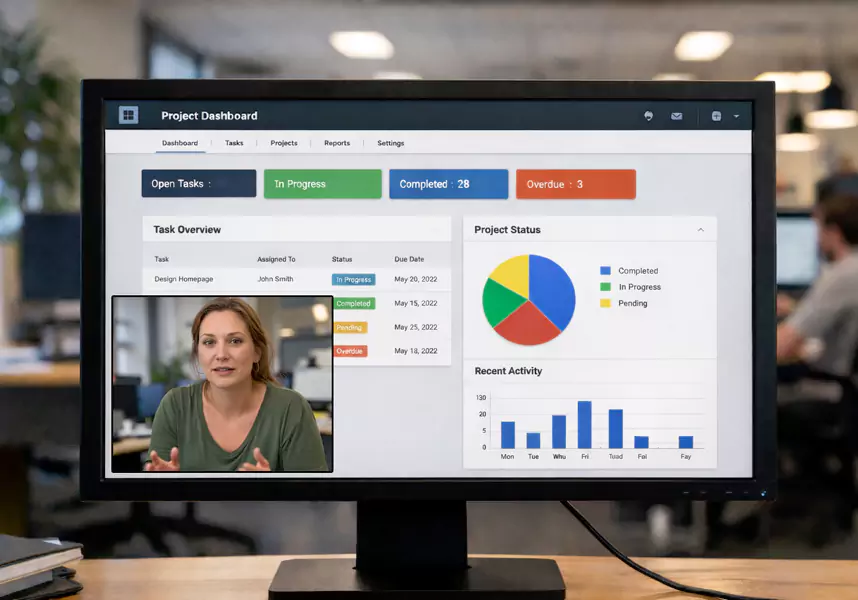
Create and Share Video Replies in Seconds
Support teams need to respond quickly, and a video support tool should never slow you down. With Flashback Express, you can record your screen and voice in just a few clicks, and reply with video directly in your support ticket or chat system.
Here’s how teams use it:
Record screen walkthroughs to explain solutions.
Send personalized video replies in tickets or chat.
Save reusable videos for FAQs and common issues.
This async workflow empowers customers to learn on their own time and helps agents handle more tickets with less effort.
Build a Video
Knowledge Base
Turn every helpful video into content that keeps saving you time.
With video tutorials for customers, you can create a rich library of searchable resources that reduce the need for live support.
A strong video knowledge base of customer support videos helps you:
Convert videos into help center articles.
Embed how-to videos in your product tours.
Offer quick, on-demand answers that scale.
Whether it’s for onboarding, troubleshooting, or training, building a knowledge base of screen recording videos for support empowers customers to solve issues before they reach out.


Improve Support Collaboration with Video
Video isn’t just for customers - it’s a powerful tool for internal teamwork. When passing tickets between agents or escalating to Tier 2, when helpdesk teams use video, they ensure no detail is lost.
Support teams use video to:
Record ticket context and explain technical issues.
Share visual bug reports across product and engineering teams.
Update teammates asynchronously without scheduling meetings.
By documenting problems visually, support teams collaborate faster and more effectively, reducing delays and improving first-contact resolution.
Use Cases for
Customer Support Teams
See how customer support professionals are using video across every step of their workflow:
Ticket Resolution
Record your screen to walk through solutions.
Onboarding & Training
Send product walkthroughs to new users.
Knowledge Base
Embed how-to videos for support in help articles.
Internal Handoff
Share ticket context with Tier 2 teams.
From one-on-one replies to scalable self-service, video for customer support adapts to every team’s needs.
Frequently asked questions
In case you missed anything and had some more questions.
How do videos help customer support teams?
Videos reduce confusion, resolve tickets faster, and help customers understand instructions more clearly.
Can I send videos in support replies?
Yes. You can record and share videos via email, ticketing platforms, or live chat systems.
Do videos reduce support volume?
Yes. Video replies and self-serve content help deflect tickets and reduce repetitive questions.
Start Resolving Tickets
with Video Today
Support pros don’t need more tools, they need better ones. With Flashback Express, you can improve response clarity, reduce ticket volume, and boost customer satisfaction.
See how video for helpdesk teams transforms support tasks and fits naturally into your workflow - no fluff, no complexity.
