


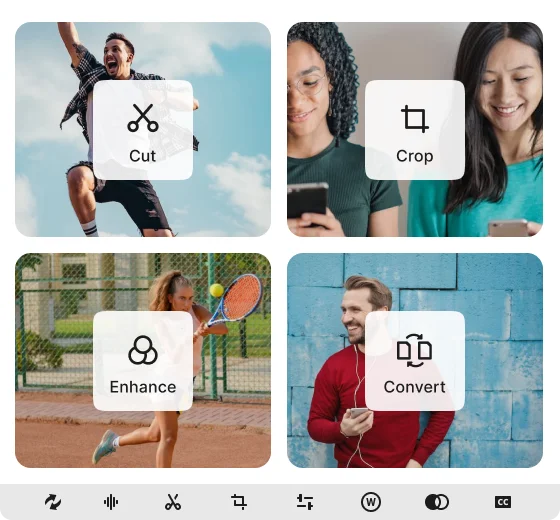
All-in-one video converter, editing, and compression toolset, converts at blazing speeds without compromising quality.
Universal Format Support
User-Friendly, All-in-One Toolset
Lightning-Fast Conversion Speed
2K, 4K, 8K High-Resolution Output
Streamlined Video Conversion
Take your videos to the next level. Flashback Video Converter is the ultimate tool for all your video needs.

Video Conversion Presets
Unsure about which video format to choose? Select a preset format in our converter and let Flashback handle the rest. Presets are optimized for a range of file formats, ensuring the best quality whether you're targeting mobile devices or web platforms.

Batch Conversion
Change the format of multiple video files at once, quickly and efficiently, without sacrificing quality? Flashback video converter is the best way to convert multiple files in one go. Add videos to the queue and click to convert, it's that easy.

Extensive Format Support
Whether it's converting Youtube videos for a particular device or changing video file formats, our video converter has it covered - it supports hundreds of formats including MP4, MKV, AVI, MOV and WMV.
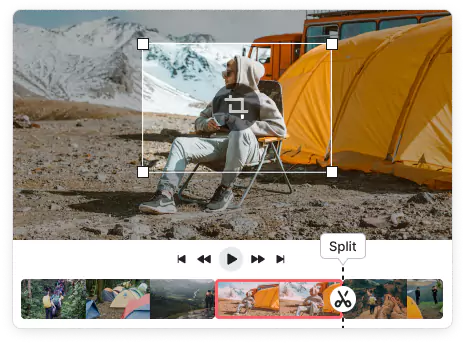
Trim footage to remove unnecessary parts or split a lengthy video into digestible clips, our intuitive editing tools make the process seamless.
Crop the aspect ratio to suit different platforms, trim away distracting borders, and highlight the most crucial elements of your footage.
Rotate your footage to achieve the ideal angle, or flip it for a fresh perspective. Adjust video orientation with ease, ensuring it aligns with your creative vision.
Lightning-Fast HD Processing
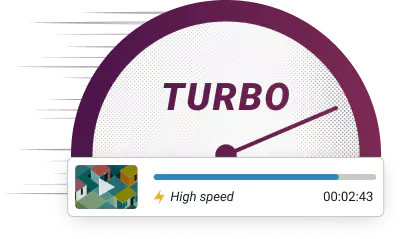
Powerful GPU-acceleration ensures fast conversion speeds without sacrificing quality. Enjoy smooth playback with optimized encoding and decoding. By using multi-core CPUs and hardware acceleration, your videos will be converted in no time.
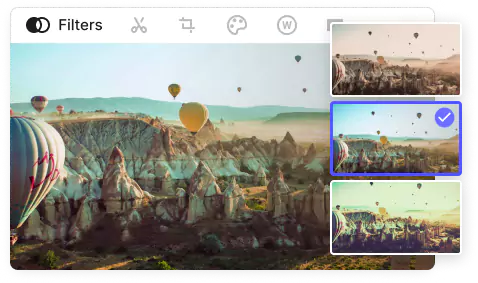
Bring videos to life with eye-popping filters. Whether creating a vintage feel or a futuristic look, filters set the mood and add depth to your footage. Visually enhance your video by tweaking saturation, brightness, contrast and more for a vibrant or muted look. Enhance shadows, define sharpness and change hue to affect mood and tone.
Add Subtitles & Audio Tracks
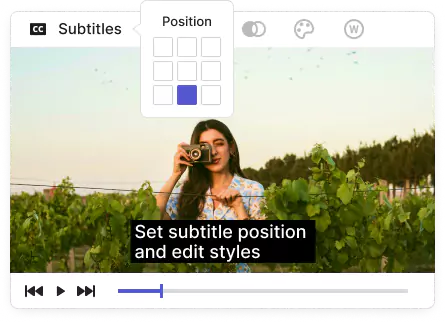
Flashback Video Converter simplifies adding subtitles for clear, accessible, and multilingual content, ensuring your videos are understood by everyone. Transform subtitles to complement the style of your video by adjusting font type, size and color. Audio tracks can be added from a multi-track file for music, commentary, narration, or sound effects.
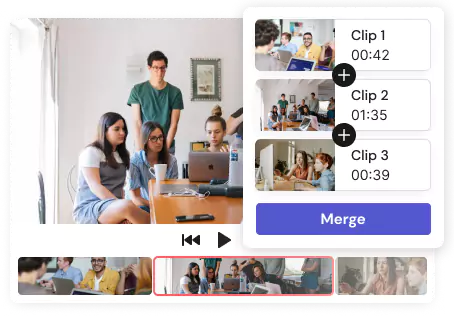
Easily Merge Clips
Merge multiple clips into one seamless video with just one click. Whether pulling footage from different sources or combining clips to create a compilation, you can quickly put together video content for your website, YouTube channel, and more. With this intuitive tool, create high-quality videos without losing quality, while maintaining an optimal file size.
You can also…
Add Watermarks
Watermarks safeguard your content against unauthorized use, duplication, or download. Customize your watermark with your unique logo and color scheme.
Convert Audio
Convert any audio track from a multi-track file using our simple presets to get fast, high quality results or customize to get full control over bitrate, channels and sample rate.
Change Playback Speed
Speed up or slow down the playback speed of your videos for precise control over the tempo.
FAQs for Flashback Video Converter
What video formats does Flashback Video Converter support?
Flashback Video Converter supports a wide variety of formats, including MP4, AVI, MKV, WMV, MOV, and many more, ensuring compatibility with virtually all devices and platforms.
Is there a file size limit for conversions using your software or service?
There’s no limit to the file size you can convert. However, larger files may take longer to process.
How do I ensure the best quality for my converted videos?
Choose handy preset formats to maintain the best possible quality during conversion.
Is it possible to batch convert multiple files at once?
Yes, batch conversion is supported, allowing you to convert multiple files simultaneously.
Does Flashback Video Converter have video editing features?
Yes, it includes basic editing tools such as trimming, cropping, and adding subtitles, giving you more control over video content.
How long does it take to convert a video?
Conversion time varies based on the video’s length and the chosen output settings. Flashback Video Converter is optimized for fast processing.
Will the converted videos have watermarks?
The free trial version may include a watermark on converted videos. However, the full version provides clean, watermark-free conversions.
Is there a feature for adding subtitles or captions to videos during conversion?
Yes, you are able to upload subtitle files and customize their appearance.
What support options are available if I encounter issues?
We have a dedicated support team to assist with any queries or issues you might encounter.
